Bookmaker and Casino

How to download and install the WinWin Bet APK

The number of users of Android-powered devices is impossible to count – if only because new gadgets running this operating system are being purchased literally every minute. Smartphones and tablets running this OS have truly revolutionised humanity’s understanding of how to stay connected to all manner of communication networks whilst on the move. WinWin Bet has decided not to ignore modern trends: realising that many customers would like to continue playing even when they are away from home, or even without leaving the comfort of their sofa, we invite you to download our mobile app for Android and enjoy the best gambling games on your portable devices!

What is WinWin APK

img

The WinWin mobile app for Android is a specialised software interface – essentially a browser tailored to the needs of a single specific website. Using a dedicated app offers players numerous advantages: unlike a ‘full-featured’ browser, this specialised software does not offer unnecessary functions, does not clutter the menu with them, and does not consume as many device resources as a browser would require. All of the above has a positive effect on performance: the app simply runs slightly faster than the website in a browser.


The WinWin Bet mobile app is distributed as an installation file with the .apk extension. The installation method, which involves downloading this file and then unpacking it manually, may seem a little unusual to many users, but in reality, there is nothing complicated about it.


Step-by-step guide to downloading and installing the APK

The main source for obtaining apps for Android devices is the official Google Play Store. However, this platform takes a biased stance towards gambling, so there is absolutely no chance of publishing our APK there. Fortunately, Android developers are quite accommodating when it comes to users’ right to choose their own download sources, so the app can be downloaded from other places. We are taking advantage of this loophole: it doesn’t involve any complicated steps, but the procedure is slightly different from what you might be used to, so we’ve put together a brief guide.

img

Where can I download the APK

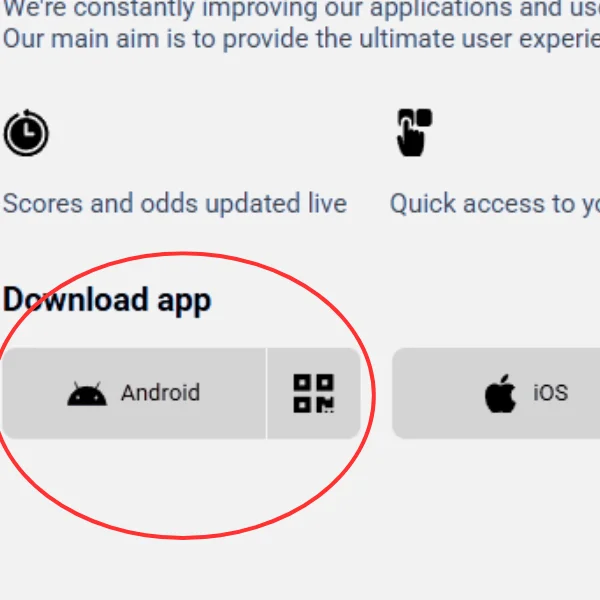
In theory, you might find the WinWin mobile app installation file on various themed forums online; however, the only source guaranteed to be safe for downloading is our official website – winwin.bet. Open it in any browser on your Android device, then go to the Menu and, in the Apps section, select the Android option. The download of a file several dozen megabytes in size will then begin (the exact size may vary depending on the version).


In reality, the Android OS security system may theoretically ‘complain’, warning the gadget owner about the file’s supposedly unknown origin. In fact, this simply means that the APK was not obtained from the official Google Play Store. If you have downloaded the installation file from our website, then have no doubts – feel free to allow the app to download.

img

Installation on Android

Once downloaded, the WinWin installation file will be found in the Downloads folder – you can access this either via File Explorer or from your browser menu. To start the installation, simply tap on the APK file – it will take your device just a few seconds, and the app will be installed!


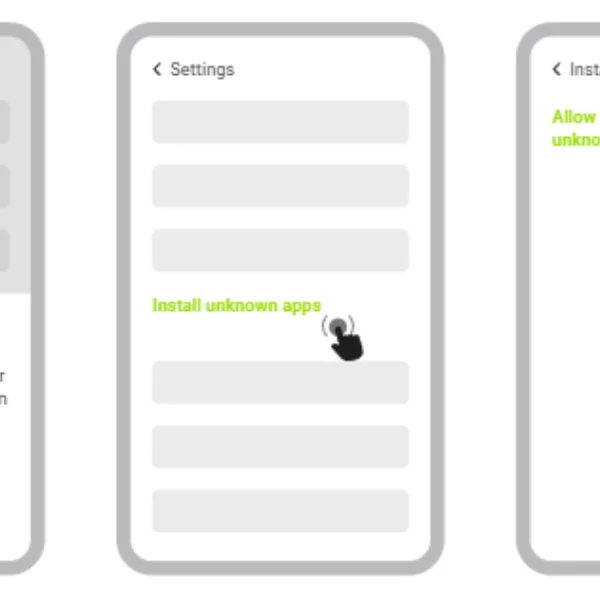
As with the download, the Android OS security system may display a warning before installation stating that the file comes from an allegedly unknown source – according to the developers’ logic, you previously only authorised the download of the APK. If the system asks for special permission to install, grant it as the dialogue box suggests – usually you need to go to the relevant section in Settings and toggle a switch.


img

Registration and login

If you are not yet a WinWin Bet customer, start by registering – you can do this directly within our mobile app, as, unlike placing real-money bets, no registration is required to download the APK. To create an account, tap the ‘Register’ button in the app interface and fill in one of the four registration forms with accurate details. At the same time, you can choose one of two welcome bonus options – for sports betting or for the online casino.


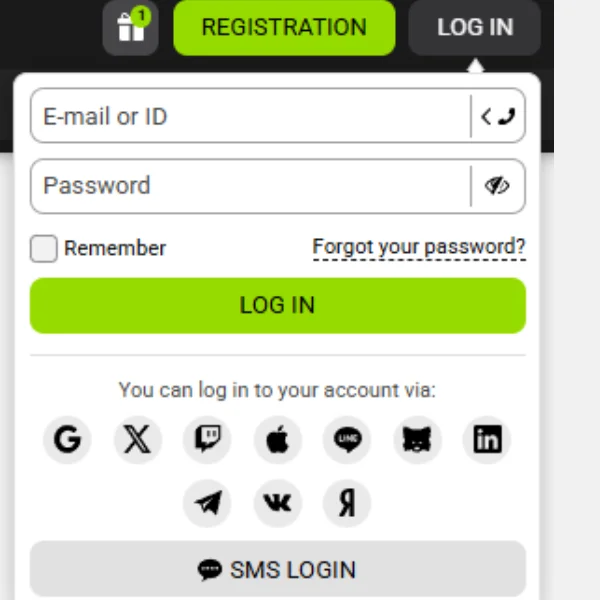
If you have ever registered as a WinWin customer, including on the website rather than in the app, you do not need to register again – in fact, it is prohibited! Instead, you can log in: click the ‘Log In’ button and use one of the login methods, depending on which of your contact details are known to our administration. Even if you haven’t logged in for a long time or can’t remember your password after changing devices, don’t worry – click ‘Forgot Password’ in the login window to regain access.


Advantages of APK

In fact, WinWin Bet customers are not required to install a dedicated Android app, as you can continue playing your favourite games on the go simply using your browser – we have a mobile version of the site that adapts to your screen size. However, we personally consider the dedicated app to be the best way to access our platform, and here’s why:

  • a full range of features in a compact app;
  • the interface is fully adapted to your screen size, with user-friendly controls that do not obstruct your view;
  • Data savings thanks to cached page templates stored in the phone’s internal memory;
  • Faster page loading by retrieving some data from the cache;
  • Informative notifications about new promotions and betting results.

img

FAQ

Do I have to pay to download and install the WinWin Bet APK?
What are the minimum system requirements for installing the WinWin Bet APK?
What is the minimum bet amount in the WinWin Bet mobile app?