
 EG
EG JO
JO MA
MA BI
BI AT
AT DE
DE GR
GR ET
ET GH
GH IN
IN KE
KE LK
LK NG
NG PH
PH PK
PK TZ
TZ EN
EN ZM
ZM AR
AR ES
ES BF
BF BJ
BJ CD
CD CI
CI CM
CM ML
ML SN
SN TG
TG ID
ID IT
IT NP
NP PL
PL BR
BR PT
PT TR
TR VN
VN- Home
- Registration
Sign up with WinWin Bet
Gambling has never been more accessible: you no longer need to hunt for a land-based venue or find people to play with, and you aren’t even tied to your own computer, as you can access all the services from your smartphone or tablet. What’s more, the best sites, such as WinWin Bet, are ready to delight visitors with an excellent selection of entertainment to suit every taste and a solid range of bonuses. But in order to play for real money, be eligible for cash winnings and receive tempting rewards from the site, you must first register. In fact, there’s nothing to worry about: the process is simple and quick, and we’re ready to explain all the details in full.
How to register
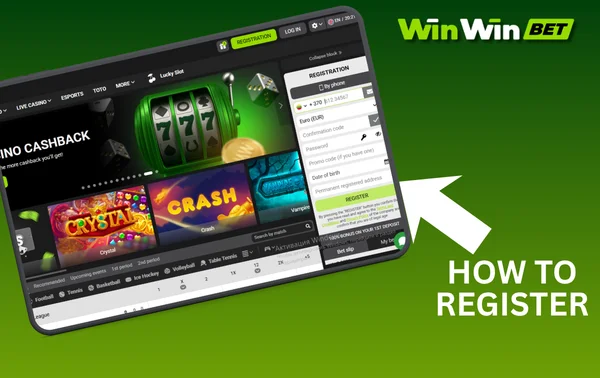
The registration process on WinWin allows customers to decide for themselves which personal details they are willing to provide to the site immediately, and which they will enter in their personal account later. This is a good option for cautious visitors who are not yet sure they wish to stay for long; however, it should be noted that whilst in anonymous status, the user will not be able to participate in the site’s bonus programme or withdraw winnings. On the other hand, if necessary, you can set up an account in literally a matter of seconds, which is a plus in itself. Let’s look at the registration options currently available to players.
By phone
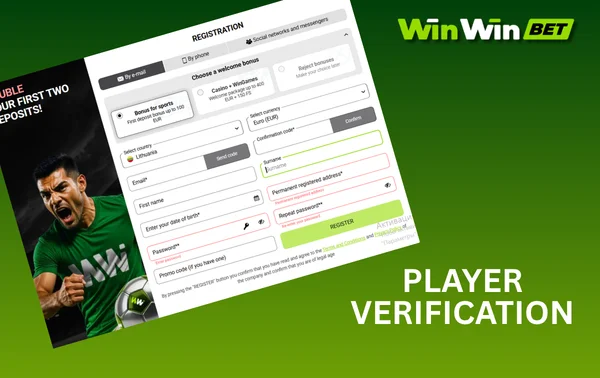
Registering via your phone number makes sense, if only because you won’t have to verify your number later on – and this is a mandatory requirement for receiving any bonuses from WinWin Bet. Ownership of the number is verified during the registration process itself: you’ll need to enter the code from the text message in the registration form. In addition to your main contact details, you’ll also need to specify your gaming account currency, a password of your choice, your date of birth and your registered address, but not your full name. You can enter a promo code if you have one; not having one won’t prevent you from receiving the standard welcome bonus from the site.
By email
Registering via email is very similar to registering via phone number; the difference is that, in theory, you could create a separate email address specifically for your WinWin Bet account, and therefore an account using this type of primary contact cannot participate in our bonus programme without first verifying a phone number. You must specify your country and registration address, gaming account currency and the email address you wish to link, your first name and surname, as well as your date of birth and a password of your choice in the registration form. After clicking the ‘Register’ button, you will still need to activate your account separately – to do this, you must follow the link in the email sent by our company to the email address you provided.
Via social media
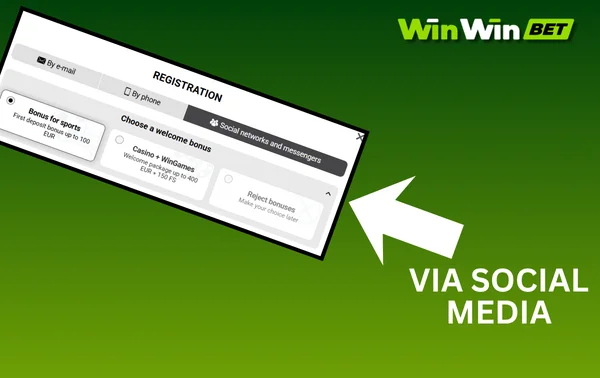
You can use an account on one of the popular social media platforms or messaging apps as your primary contact, which will be linked to your new WinWIn Bet account. The registration form is minimal: you simply need to specify your country and the currency of your gaming account, as well as your date of birth and registered address. You must also select one of the social media platforms listed and, after being redirected to its website, authorise the transfer of your personal identifier to our platform; the available social media platforms and messaging apps are as follows:
- Google,
- X,
- Twitch,
- Apple ID,
- Line,
- Metamask,
- LinkedIn,
- Telegram,
- VK,
- Yandex.
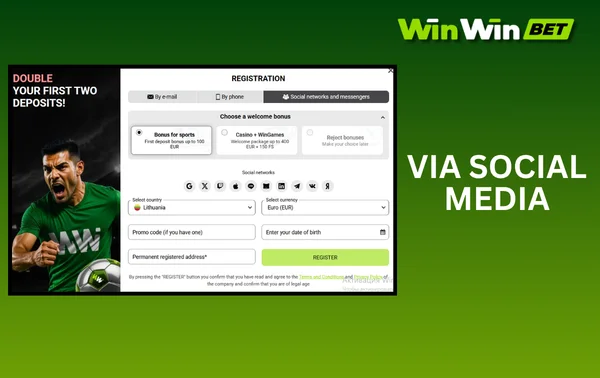
In one click
This is the quickest way to register: the form is so simple that you only need to enter your country and the currency for your gaming account, as well as a welcome promo code if you have one. Please note: you do not link any contact details to your account that could serve as a username, nor do you create a password; both will be generated automatically by the system and displayed to you, and you must make a note of these details immediately. If you do not write down the details shown, you simply will not be able to log in to your account; consequently, for this reason alone, after your very first login, the WinWin Bet administration strongly recommends that you do link at least one piece of information – either a phone number or an email address.
Create an account
Before registering, users should bear in mind a few important points. First and foremost, every WinWIn customer must have exactly one account: even if you plan to use different devices and different versions of our interface (desktop and mobile websites, mobile apps), all logins are made via a single shared account. Players must also be of legal age: you cannot be under 18, and in countries where the age of majority is higher, the minimum age may be 21. The management of our establishment reserves the right to refuse registration to any user who has previously requested self-exclusion from any bookmaker or online casino, as well as to an employee of another similar establishment or a direct participant in sporting events, if we accept bets on them.
Personal data
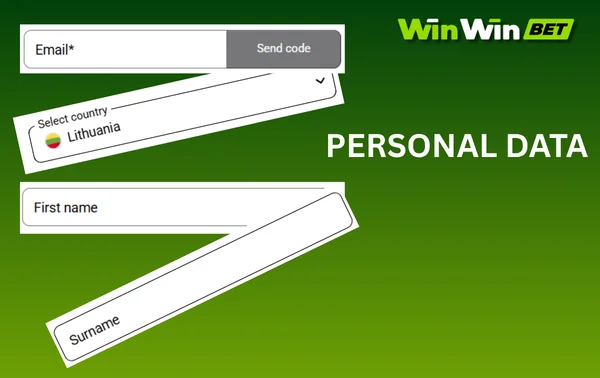
Most registration forms on WinWIn Bet require you to provide personal information in one way or another – even if they don’t ask for your name, they will ask for your date of birth and registered address. Please do not attempt to provide false information, as in order to be eligible to withdraw your winnings, you will need to undergo verification by providing documents confirming your full player details. Any discrepancy between the details provided in the registration form and those in your documents may lead to questions from the administration, and if we believe that a customer has deliberately impersonated another person, this will result in the permanent and irrevocable blocking of the fraudster.
Player verification
Although the registration forms on WinWin allow you to provide the site with an incomplete set of personal details, you must complete all the fields in your personal account form to gain full access to all the services on our platform. For example, any empty field in your personal account means you will not be eligible for our bonuses, and to withdraw your winnings, you will also need to provide supporting documents. Accordingly, for verification, you must first complete the form in full, after which you should upload documents confirming your identity in your personal account: as a rule, a passport, ID card or driving licence are suitable for this purpose. Unless specifically requested by our security team, it is not usually necessary to verify your address or ownership of payment details; should such a requirement arise, the verification method will be described in detail in the request itself.
Security settings
During the registration process, some registration forms allow new customers to set their own WinWin Bet password, whereas the one-click registration option, for example, generates a password automatically. We recognise that you may not be able to come up with a sufficiently strong password at the time of registration, but you can always change it to a stronger one in your account settings. Ideally, a password should contain both lowercase and uppercase letters, as well as numbers. Please note: even the most complex and secure password should ideally be changed at least once a year, as hackers are always on the lookout.
To enhance the security of your account, we also recommend setting up two-factor authentication: whilst it makes the login process slightly more complicated for you, it makes it virtually impossible for unauthorised users. Download the Google Authenticator mobile app from Google Play or the App Store and link it to your WinWIn Bet account as described in the Security tab of your personal account. After that, every time you log in, you will need to enter not only your username and password, but also a one-time code from the Android mobile app, which is valid for just 30 seconds.
Log in to your account
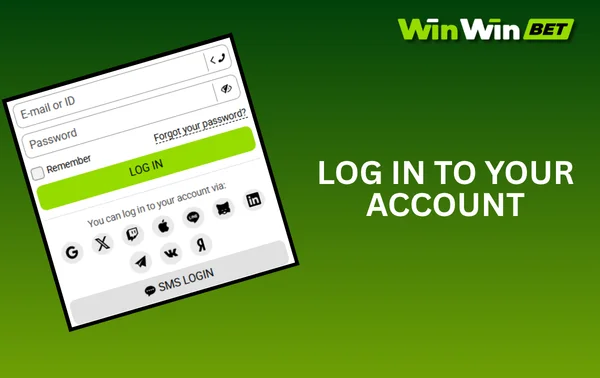
The login process allows existing WinWin Bet users to ‘identify’ themselves to the system so they can continue to access their bankroll balance and wager previously activated bonuses, collect winnings from previous bets, view their activity history – in short, pick up exactly where they left off last time. Logging in also allows customers to use several different devices: why not enjoy the benefits of a large screen at home, whilst on the move opting for a compact smartphone that fits in your pocket?
Log in via the website or the app
The login process on our website and in our mobile apps is the same, but the steps involved may vary slightly depending on which type of login you use. In any case, first open our interface and click the ‘Log in’ button, then you can:
- log in using your email address, phone number or account ID and a permanent password;
- select the ‘Log in with code’ option, entering your phone number as your username and using the code from the text message as your password;
- click on the logo of one of the social media platforms or messaging apps, provided they are linked to your account. You will then be redirected to the relevant website, where you can log in and confirm your access to WinWin.
All login methods are the same; if you have linked several contacts to your account, you can use any of them. The account ID serves as a universal login: this combination is assigned to each account at the time of registration.
Automatic authorisation
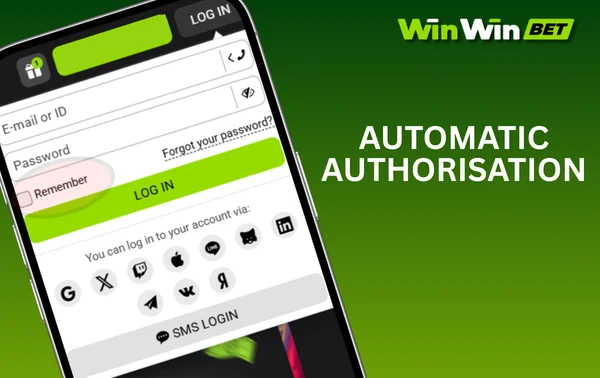
In the login window, WinWin Bet visitors can tick the box next to ‘Remember me’; if you do this when logging into your account, you won’t need to enter your login details the next time you visit the website or open the mobile app – the system will ‘recognise’ you, and you’ll be logged in straight away. However, this only applies to this specific device and this type of interface: if you have chosen to save your login details in the mobile app on your smartphone, and nowhere else, you will still need to enter your username and password on a PC, a tablet, and even on the same smartphone if you log in via the website rather than the app. You should only use the ‘Remember me’ function on devices that are definitely inaccessible to unauthorised persons; remember that the interface cannot know who exactly is using your device at any given moment, so all actions will be attributed to you.
Password recovery
If you’ve forgotten your password, it doesn’t mean you’ve lost access to your WinWin account, and you won’t even need to contact customer support! Simply click the ‘Log in’ button, then ‘Forgot password’; next, enter the phone number or email address linked to this account, and your old password will be reset. Now wait for detailed instructions on how to set a new password to be sent to the contact details you provided. Incidentally, you can use this same process to change your password as a routine precaution, even if you haven’t actually forgotten it.
Please note: if you registered via one-click registration and subsequently did not link any contact details in your personal account, you will not be able to regain access to your account. As for registration via social media and messaging apps, in this case you use the username and password from the social media platform or messaging app itself to log in, and if you’ve forgotten your passcode, you’ll need to recover it using the tools provided by the relevant social media platform.
The benefits of registering with WinWin
- sports betting on over 10,000 matches, available at any time;
- over 8,000 online casino games across various genres from over 90 providers;
- the ability to watch 30,000 live streams per month at no extra cost;
- around fifteen bonuses to suit every taste, plus tournaments with prize pools worth millions;
- instant deposit processing and commission-free withdrawal of winnings within 15 minutes;
- a function for topping up your balance using cryptocurrencies;
- android and iOS mobile apps for gaming on the go via your smartphone or tablet;
- customer support is available 24 hours a day, 7 days a week.